Live2play
Vertical reel camera for musicians: one tap records, with a clean audio feed, motion tracking and a synth.
Live2play opens straight into a live vertical camera with one big record button, and clips land in their own Photos album. It can record a clean mix from your computer over WiFi instead of room noise, and tracks body, hands and face on the device to play a built-in synth or send MIDI.
In the App Store · iPhone · Free, no in-app purchases
What it does
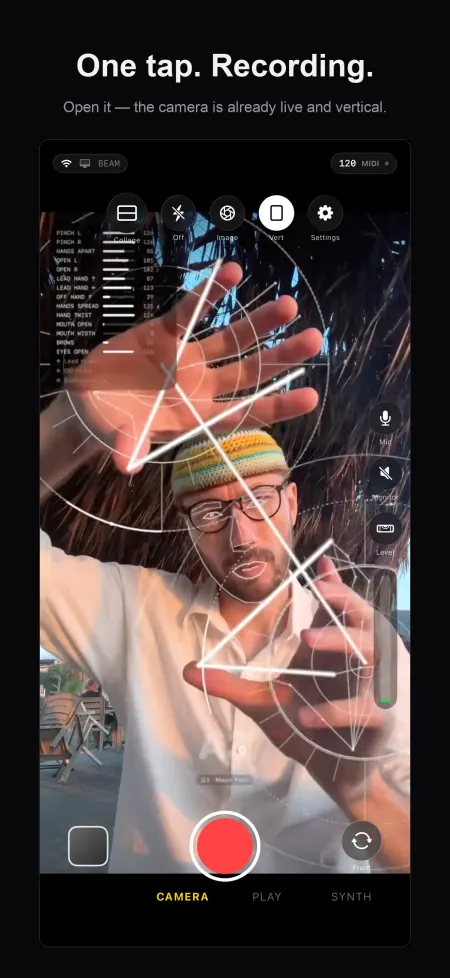
One-tap reel
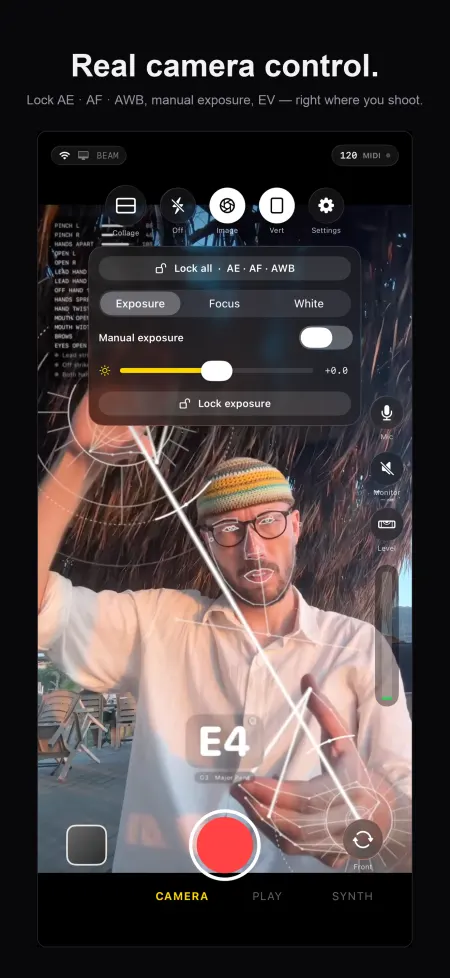
Camera is live on launch; one button starts and stops. Tap to focus and meter, lock exposure, nudge EV. Start from a hardware button, Siri shortcut, with a Live Activity while recording.
Choose the sound
Built-in mic, USB-C interface, Bluetooth, or a clean master mix sent from your computer over WiFi.
Movement as an instrument
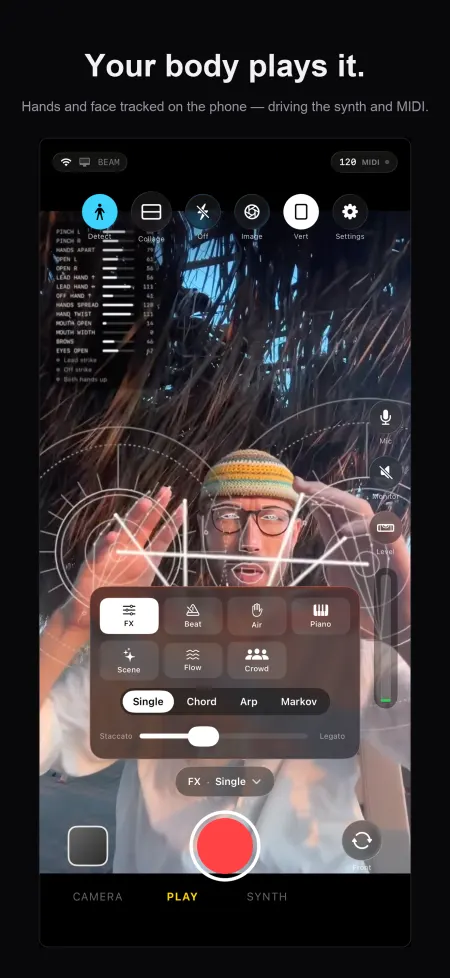
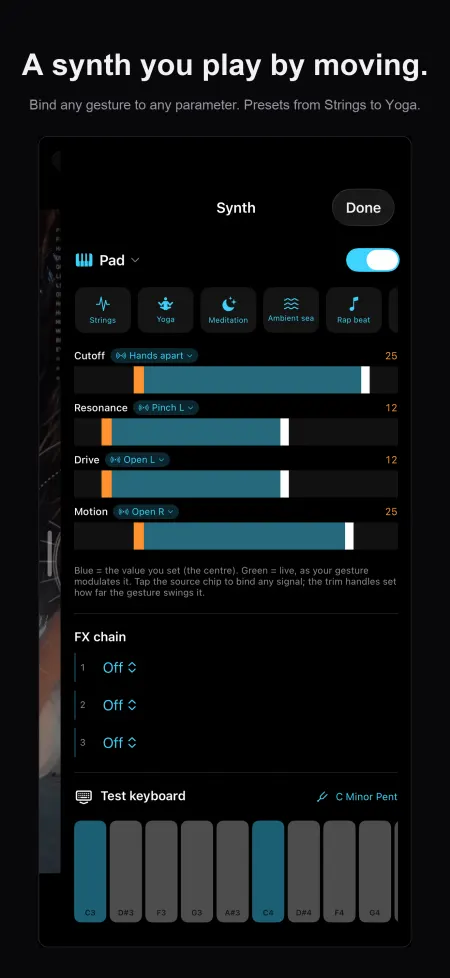
On-device Vision tracking of body, hands and face drives an overlay, a built-in synth, or gesture MIDI to your computer. Face control is off by default.
Loops, collage and editing
Layer takes into a synced loop grid with time-stretch, arrange them as a collage, and trim, merge and re-render clips on the phone.
Go live
Stream the take to YouTube Live or any RTMP/RTMPS server you enter. The stream key is kept in the Keychain.
Privacy
No account. Video, audio and body tracking stay on the iPhone unless you go live or open the WiFi gallery; the app sends one anonymous launch count to our own counter.
- Account: none. The app has no sign-in and no account.
- Reaches us: An anonymous launch count: the event "app launched", the app version, a timestamp and a random install id (see Analytics)
- Other services: The RTMP server you enter (YouTube by default), Devices on your WiFi: the gallery (port 9010), Devices on your WiFi: the companion Mac app
FAQ
Do my videos or my face leave the phone?
Not to us. Tracking runs on the iPhone with Apple's Vision framework, per frame, in memory. Video leaves the phone only if you go live to a server you chose, or a device on your own WiFi pulls clips from the gallery server.
How do I record a clean audio mix?
Pick the audio source in Settings: built-in mic, USB-C interface, Bluetooth, or a mix sent from your computer over WiFi by the companion app.
Can I stream live?
Yes, to YouTube Live or any RTMP/RTMPS server. Enter the URL and stream key, tap Go Live. The key stays in the iPhone Keychain.
Does it need an account?
No account, no sign-up, no ads.
Which iPhones?
iPhone with iOS 17 or later; iPhone only, portrait.